
Mailchimp
Dermaself saves the contact to your audience. In the recommended mode it also builds and sends the recap email through Mailchimp Transactional (formerly Mandrill). Mailchimp Transactional is separate from Mailchimp Marketing: without it, the recap is not sent directly.
Alternative: Flow/tag fallback. Dermaself tags the contact with dermaself_analysis_completed and you build the automation in Mailchimp.
Prerequisites
- Mailchimp Marketing
- Mailchimp Transactional (for direct sending)
- A sending domain with SPF/DKIM in your domain’s DNS
- The contact step on, and marketing consent from the shopper
1. Connect
- In Dermaself, open Integrations → Mailchimp → Connect.
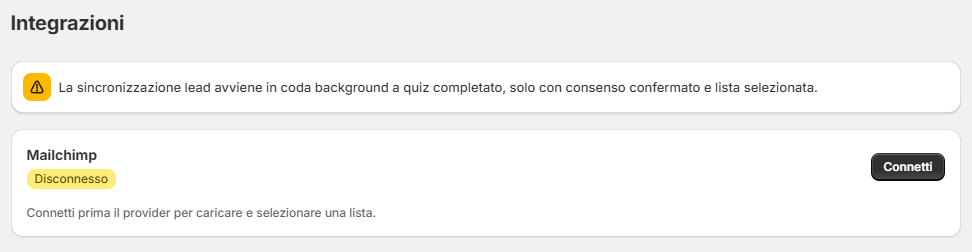
- Sign in to Mailchimp if asked.
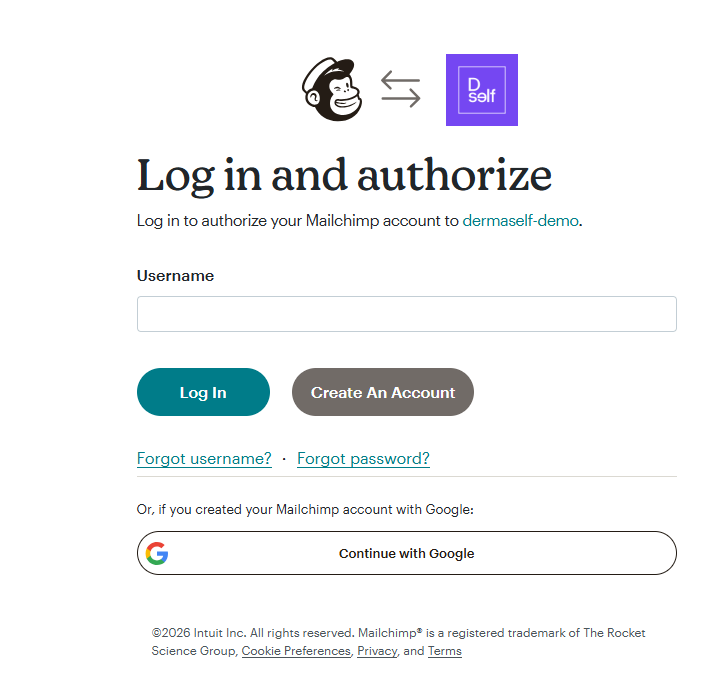
- Click Allow.
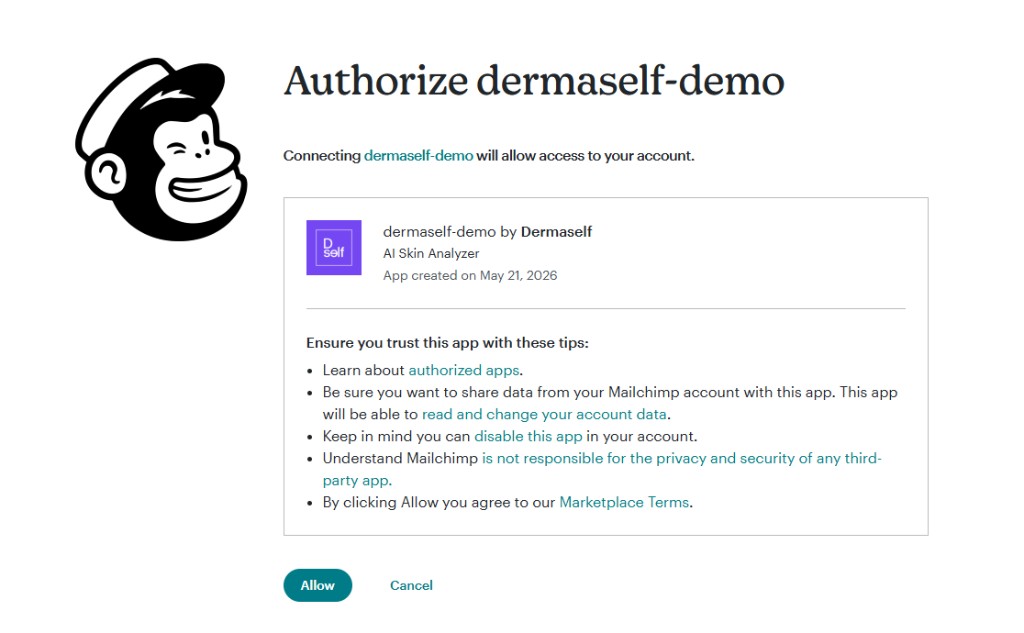
2. Audience
- Click Refresh lists.
- In Contact list to sync, pick the audience and click Save list.
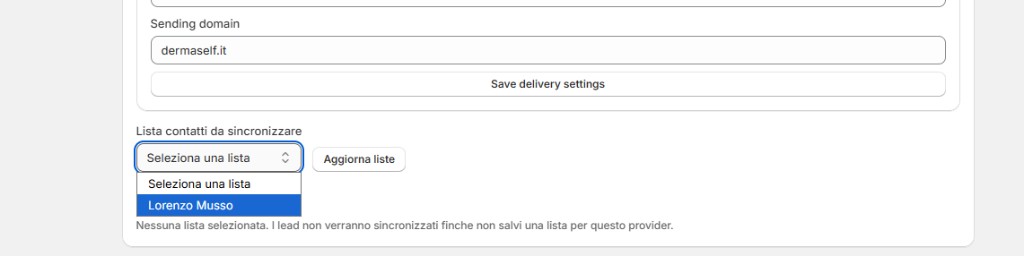
Without a saved audience, leads do not sync.
3. Get the Transactional API key
- Log in to Mailchimp Transactional (mandrillapp.com, with your Mailchimp account).
- Go to Settings → SMTP & API Info.
- Create a new API key and copy it.
4. Verify the sending domain in Mailchimp Transactional
- In Mailchimp Transactional, go to Settings → Domains and add your sending domain.
- Add the DNS records it shows (SPF/DKIM) at your domain provider.
- Wait until the domain shows as verified.
5. Delivery settings in Dermaself
In the Mailchimp card, under Delivery settings:
- Recap delivery mode: Direct generated.
- Transactional API key: paste the key. Leave it empty later to keep the saved key.
- Sender email, Sender name, Sending domain: use the verified domain.
- Click Save delivery settings.
Pipeline provisioned turns green when the API key, sender email and sending domain are saved.
6. Ready to send
- When the domain is verified, click Mark sender verified.
- Click Retry provisioning if a status does not update.
- All four indicators are green: Connected, Pipeline provisioned, Sender verified, Ready to send.
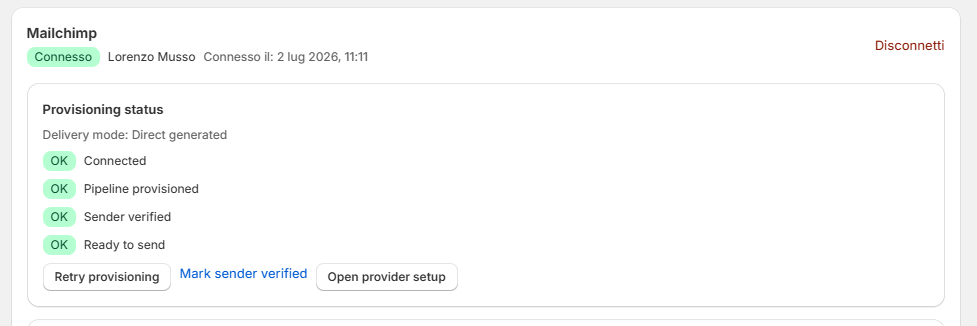
Then run a Skin Test on the live store with your email and marketing consent checked.
Without a Transactional API key the contact is still saved, but the recap email is not sent. Mailchimp allows at most 30 merge fields per audience: Dermaself uses a small set.
Flow/tag fallback
If you choose Flow/tag fallback, Dermaself does not send the email. It tags the contact with dermaself_analysis_completed: create a Mailchimp automation (Customer Journey) triggered by that tag. Open provider setup links to Mailchimp’s guide.