
Klaviyo
Dermaself saves the contact to the list you choose and sends a Dermaself Analysis Completed event with the recap already built. In Klaviyo you create a flow on that event: the flow email sends the recap.
Prerequisites
- A Klaviyo account with Email and Flows
- A sending domain verified in Klaviyo (SPF/DKIM in your domain’s DNS)
- The contact step on, and marketing consent from the shopper
1. Connect from the app
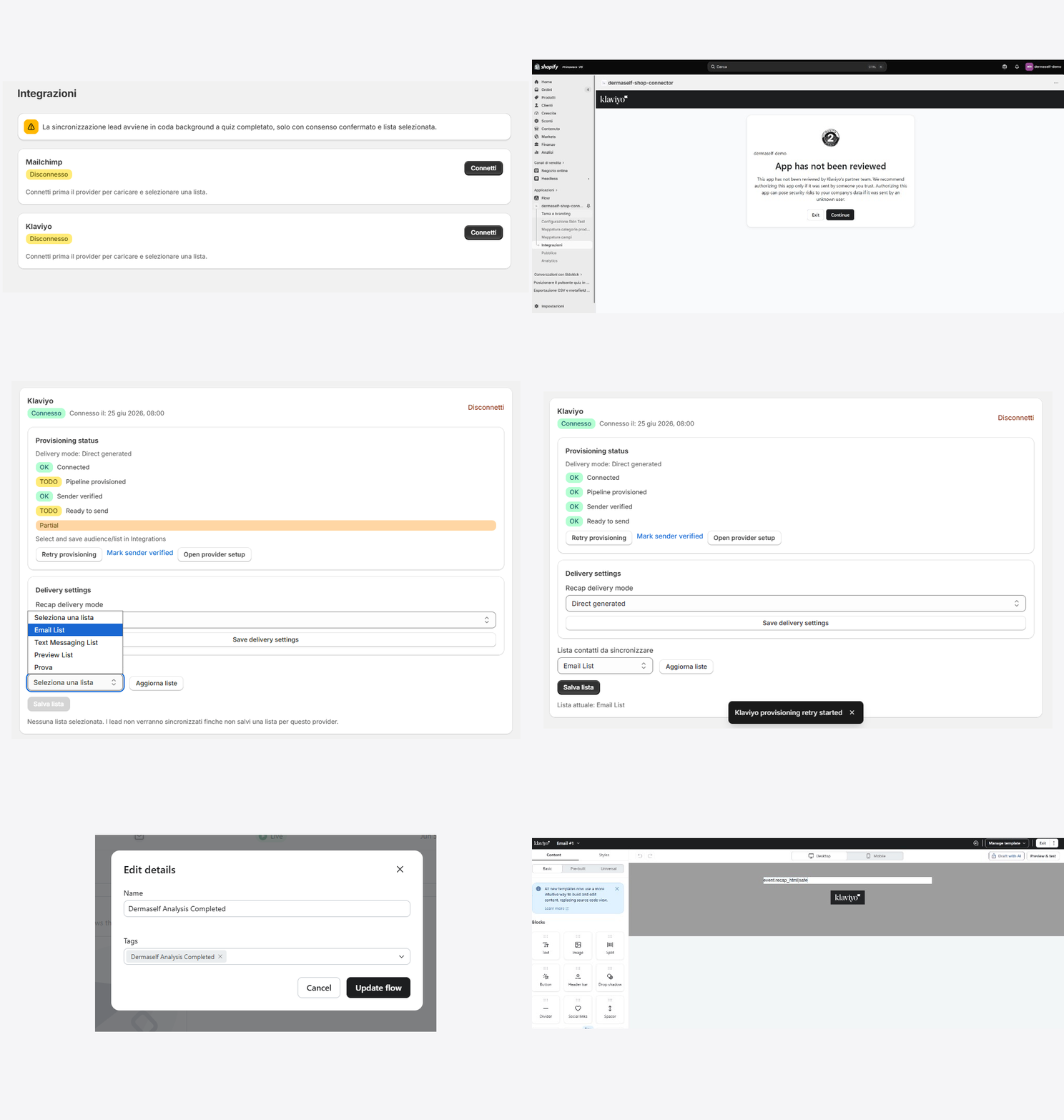
- In Dermaself, open Integrations → Klaviyo → Connect.
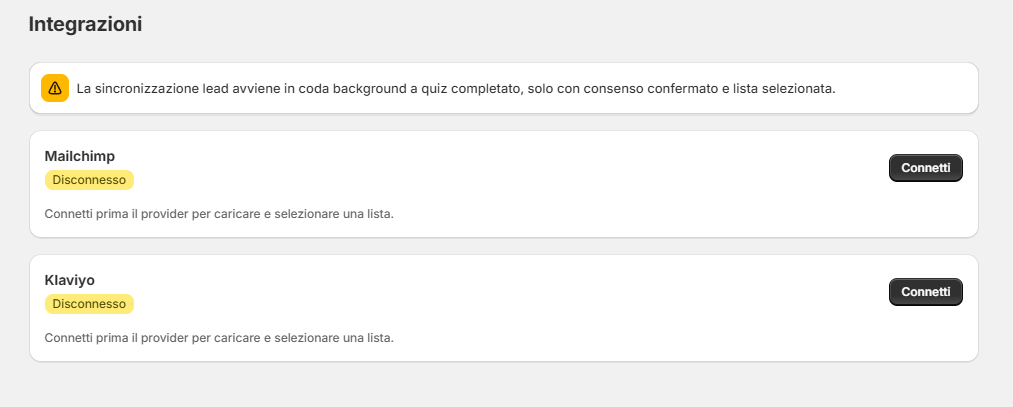
- If Klaviyo shows App has not been reviewed, that is expected: click Continue.
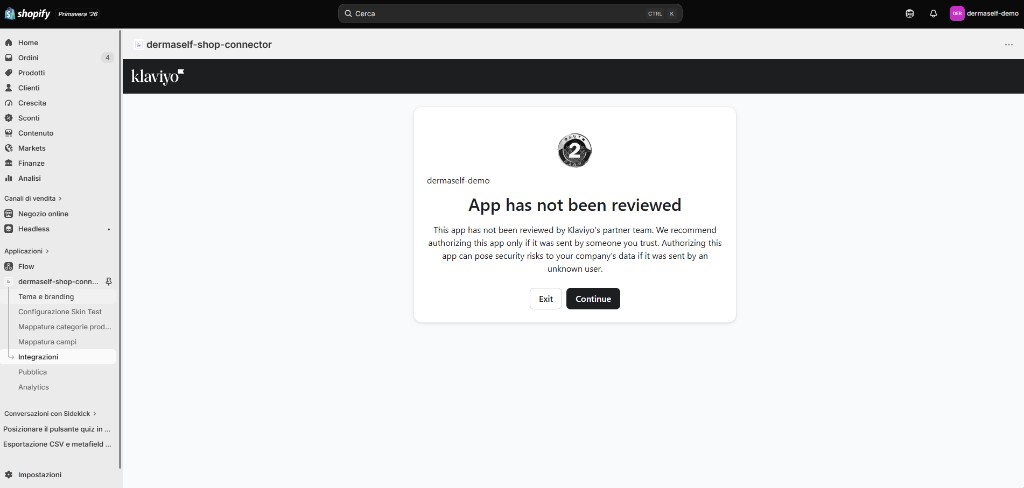
- Review the scopes and click Allow.
2. Pick the list
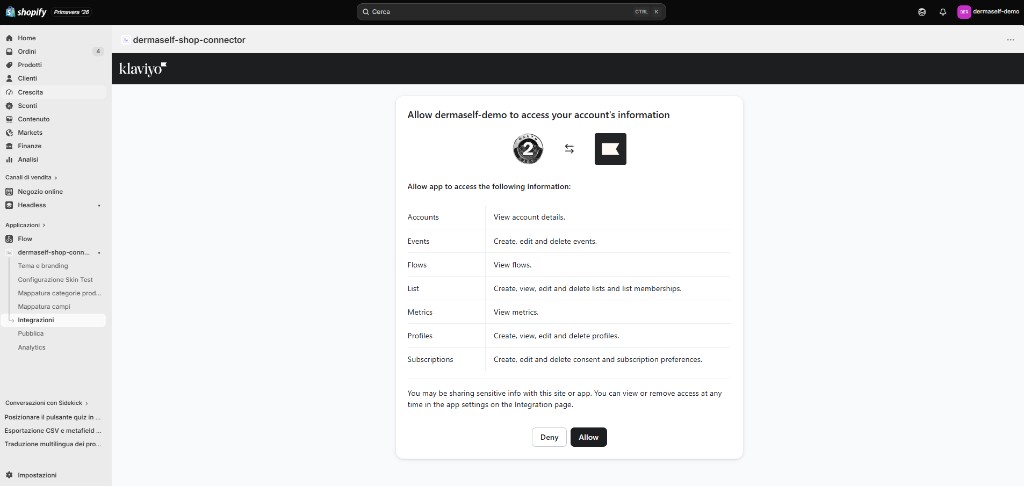
- Click Refresh lists.
- In Contact list to sync, pick the list (for example Email List).
- Click Save list. Without this step, leads do not sync.
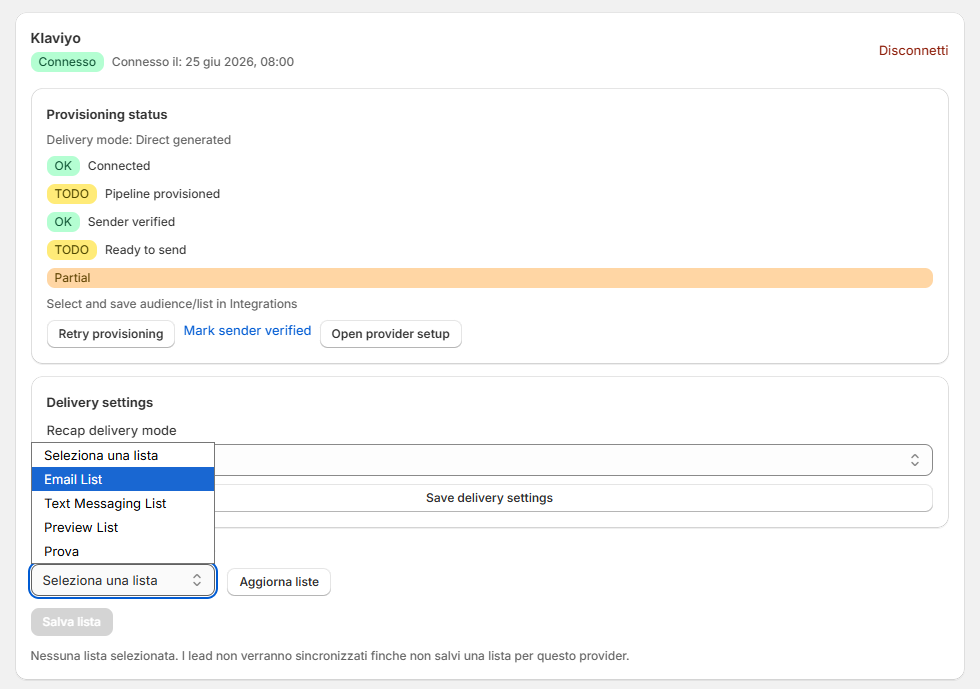
In Delivery settings, leave Recap delivery mode on Direct generated and save. There are no sender or domain fields in the app for Klaviyo: you set them in Klaviyo.
3. Verify the sending domain in Klaviyo
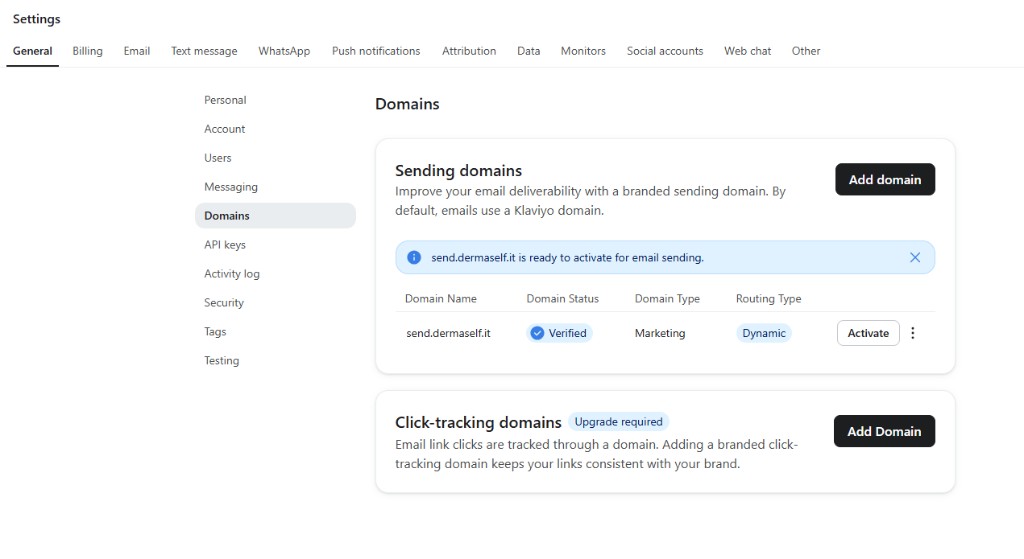
In Klaviyo, open Settings → Domains and set up your sending domain. Add the DNS records Klaviyo gives you (SPF/DKIM) at your domain provider and wait until the domain shows as verified.
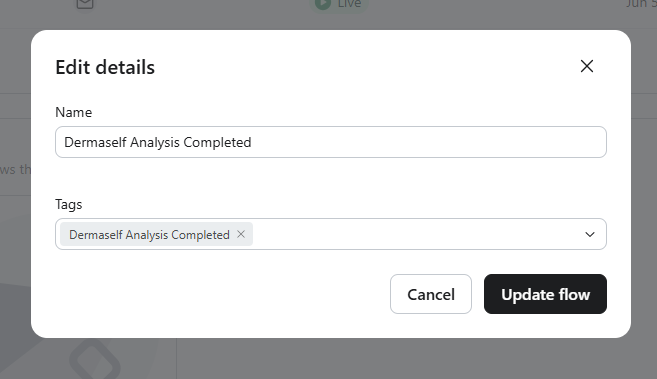
4. Create the recap flow in Klaviyo
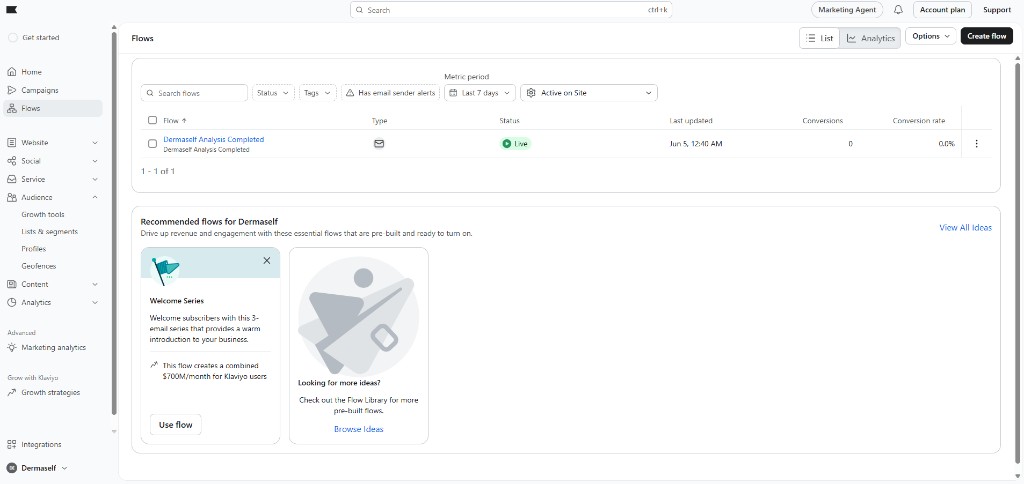
- In Klaviyo, open Flows → Create flow and build it from scratch.
- Trigger: the Dermaself Analysis Completed metric. If you do not see it yet, run one Skin Test with your email first, so Klaviyo receives the event.
-
Add an Email to the flow and open its settings:
- Subject:
{{ event.recap_subject }} - Sender name and sender email: yours, on the verified domain.
- Subject:
-
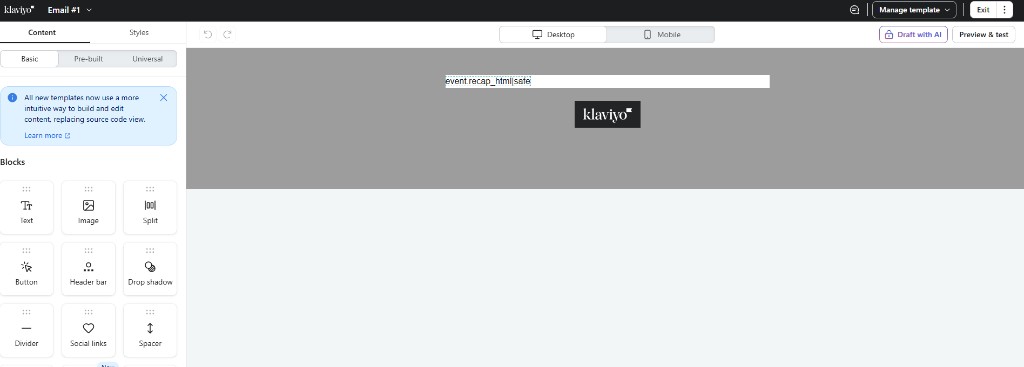
In the email body, add an HTML block and paste:
{{ event.recap_html|safe }}
- Set the flow and the email to Live.
5. Ready to send
Back in Dermaself → Integrations → Klaviyo:
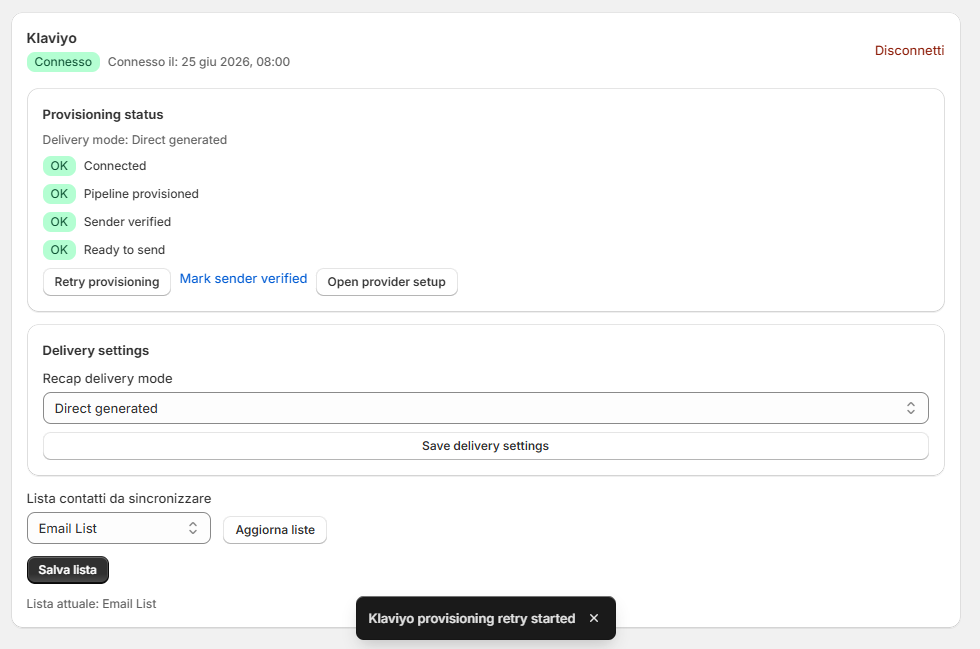
- Click Retry provisioning. Pipeline provisioned turns green once the recap flow exists in Klaviyo.
- When the domain is verified in Klaviyo, click Mark sender verified.
- All four indicators are green: Connected, Pipeline provisioned, Sender verified, Ready to send.
If something is missing, the card shows the next action; Open provider setup opens the right Klaviyo page.
6. Test
Run a Skin Test on the live store with your email and marketing consent checked. The email language follows the Skin Test language. The logo comes from Theme & Branding.
The Klaviyo profile receives the skin scores, the main skin need, the recommended products and session tags.