
Recommended discount
Open Recommended Discount. You can create a code that discounts only the cart lines added from the Dermaself recommendations. Everything else stays full price.
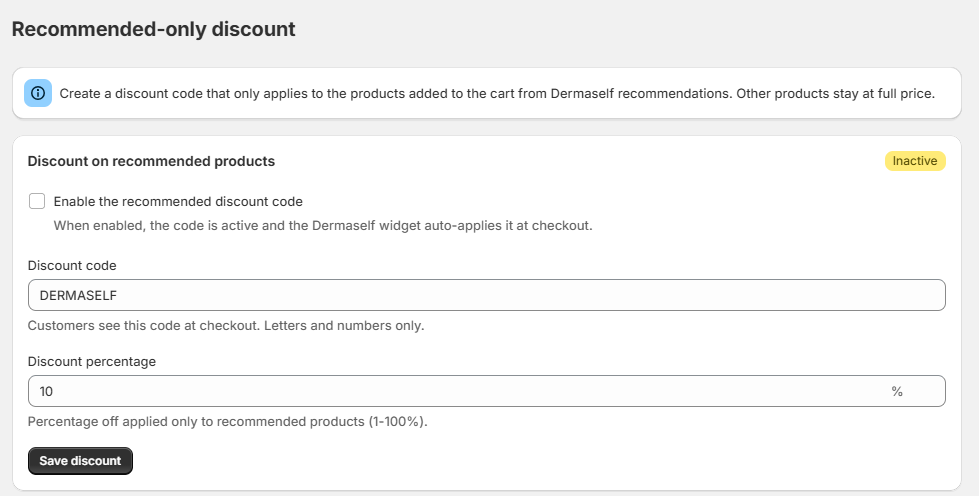
Steps
- Open Recommended Discount.
- Turn on Enable the recommended discount code.
- Set the Discount code: letters and numbers only. Shoppers see it at checkout.
- Set the Discount percentage, from 1 to 100.
- Click Save discount. The status becomes Active.
What happens on the storefront
- When shoppers add products from their routine, those cart lines are marked as recommended.
- At checkout the Skin Test applies the code automatically, and it discounts only those lines.
- A product added to the cart in any other way is not discounted by this code.
If the discount was deleted or turned off in Shopify, the page tells you. Save again with the toggle on to recreate or reactivate it.