
Design and branding
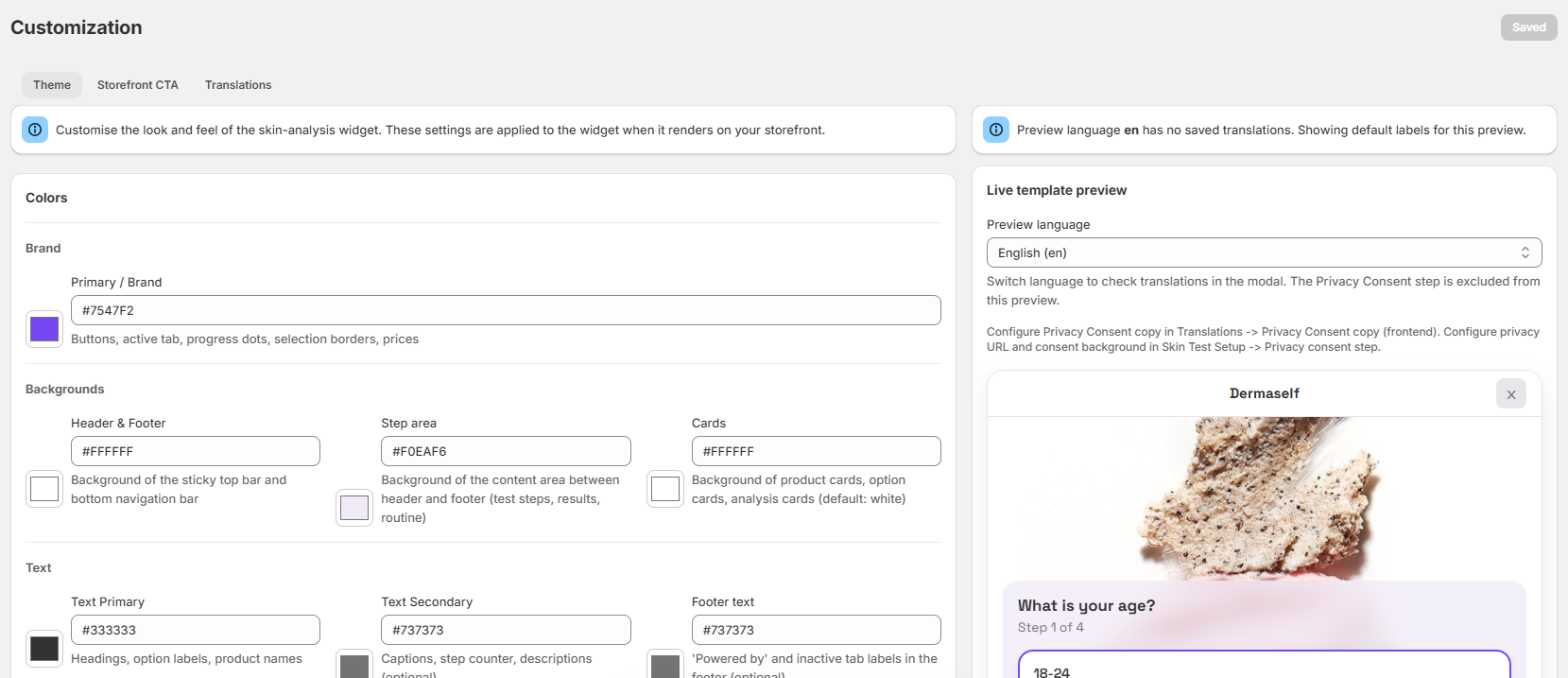
Open Theme & Branding (page title Customization). It has three tabs: Theme, Storefront CTA and Translations. Each tab is saved on its own with Save changes.
Theme tab
Match the Skin Test to your store without editing theme code.
- Colors: primary / brand color.
- Backgrounds: header and footer, step area, cards.
- Text: primary, secondary and footer text.
- Structure: border color.
- Logo: upload PNG, JPG or WebP, max 512 KB. SVG is not accepted, because some email clients (for example Outlook) do not show it in the recap email. Choose Logo size: normal or large.
- Typography: font family. Shape: border radius.
- Save changes. The live preview is on the same page. Reset to defaults restores the original look.
Storefront CTA tab
The storefront button is styled in the Shopify theme editor, not in the app, so you can preview it on your live store while you change it. This tab links you there:
- Open the button settings — the Skin Test loader in App embeds (floating button).
- Add the button to a page — the Skin Test button block.

All button settings are described in Add the Skin Test to your theme.
Translations tab
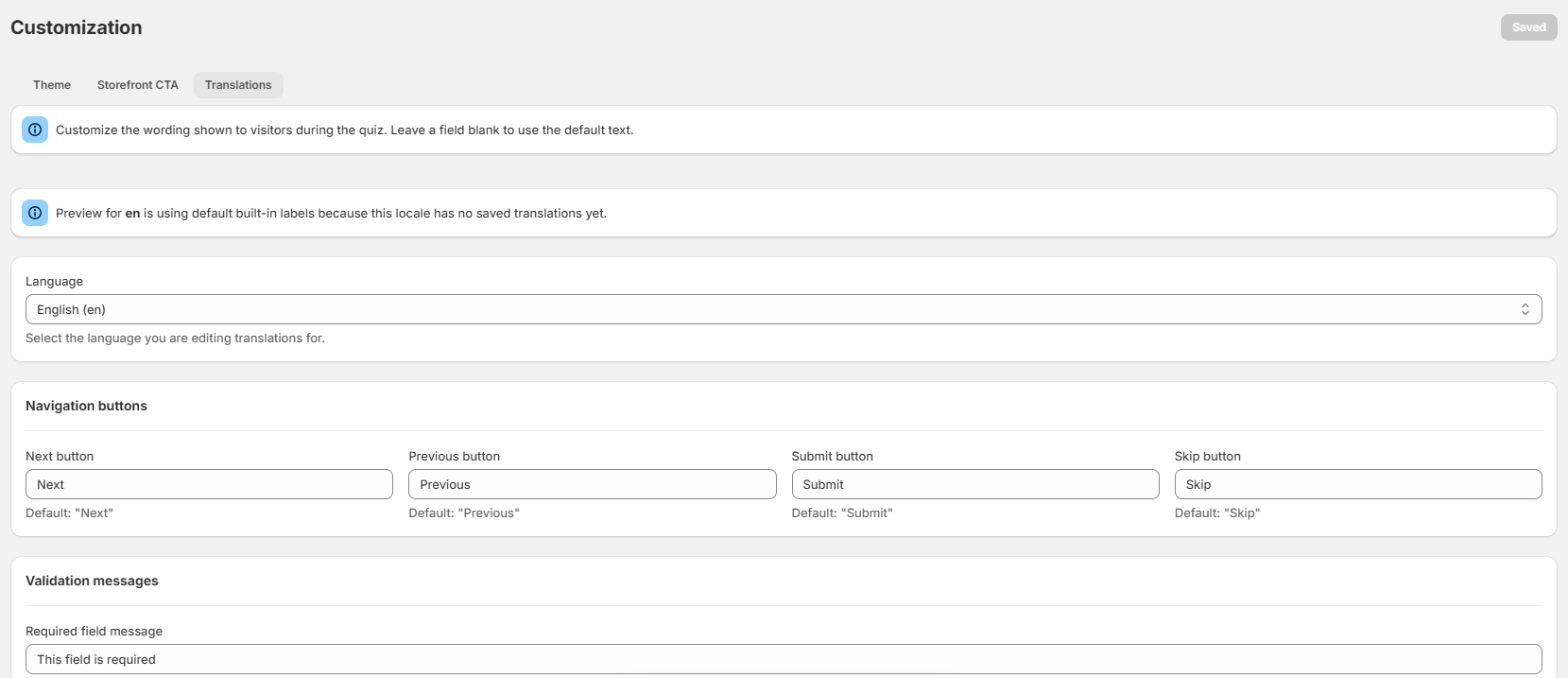
Change the words shoppers see during the Skin Test. Leave a field empty to keep the default text.
- Pick the Language you are editing.
- Edit the navigation buttons (Next, Previous, Submit, Skip), validation messages, progress and loading messages, results page copy, and the privacy consent copy.
- Edit the title and answer options of each quiz step.
- Save changes.
The privacy URL of the contact step is set in Skin Test Setup. More on languages: Languages.
Branding
“Powered by Dermaself” appears on every plan except Enterprise (white label). See Plans and usage.