
Design and branding
Open Theme & Branding. Match the Skin Test to your theme without editing Liquid.
Template tab
- Set primary color, header/footer chrome, body background, cards, text, muted text, borders, font, radius.
- Upload the logo as PNG, JPG, or WebP. No SVG: some email clients skip it in the Klaviyo/Mailchimp recap.
- Pick logo size normal or large.
- Live preview is on the same page.
Button tab
- Button labels for Italian and English.
- Text / gradient colors, padding, font-size, radius.
- If you use both the floating loader and an in-page block, turn one off so you do not duplicate.
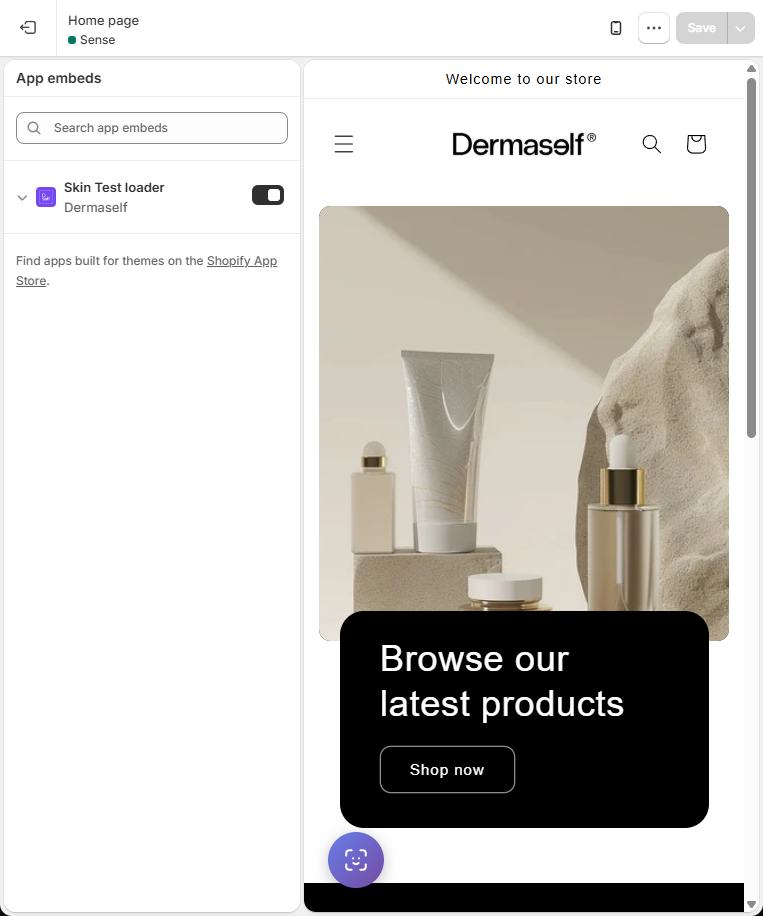
The floating button is enabled in the theme editor → App embeds → Skin Test loader. See the setup guide.
Translations tab
Next, Previous, Submit, Skip, error messages, progress label ({current} / {total}), Privacy Consent copy. The contact-step privacy URL is set in Skin Test Setup.
Save. “Powered by Dermaself” is hidden only on Growth. See Plans.